Use Case
Elevate Your Digital Presence: Integrating Plug & Chat AI in 4 Easy Steps
Static websites are a thing of the past. Today, your visitors expect instant, accurate, and conversational answers. Whether you are a small business or a public entity, adding a professional AI assistant is now a matter of minutes, not weeks.
Follow this guide to bridge the gap between your documentation and your users.
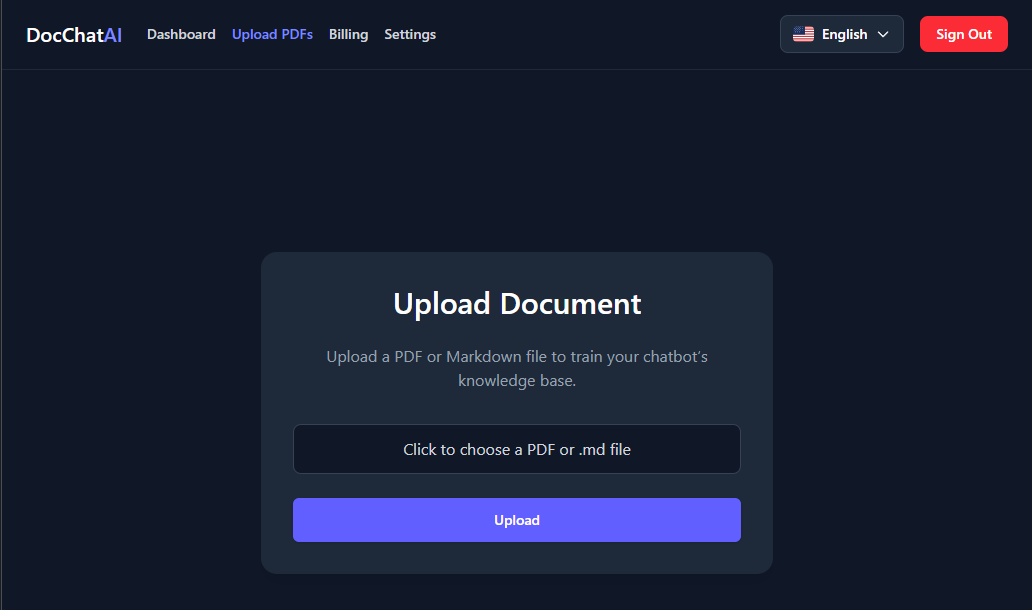
1. Build Your AI’s Brain: Create Your Knowledge Base
The power of your AI assistant lies in the data it knows. Once logged in, navigate to the "Upload PDF" section. This is where you transform your static documents into an interactive engine.
- How it works: Simply upload your manuals, FAQs, or policy documents one by one.
- Processing: Our engine parses the text and prepares the AI. Most documents are ready in a few minutes, though larger volumes might take a bit longer to fully index.
2. Design the Experience: Personalize Your Assistant
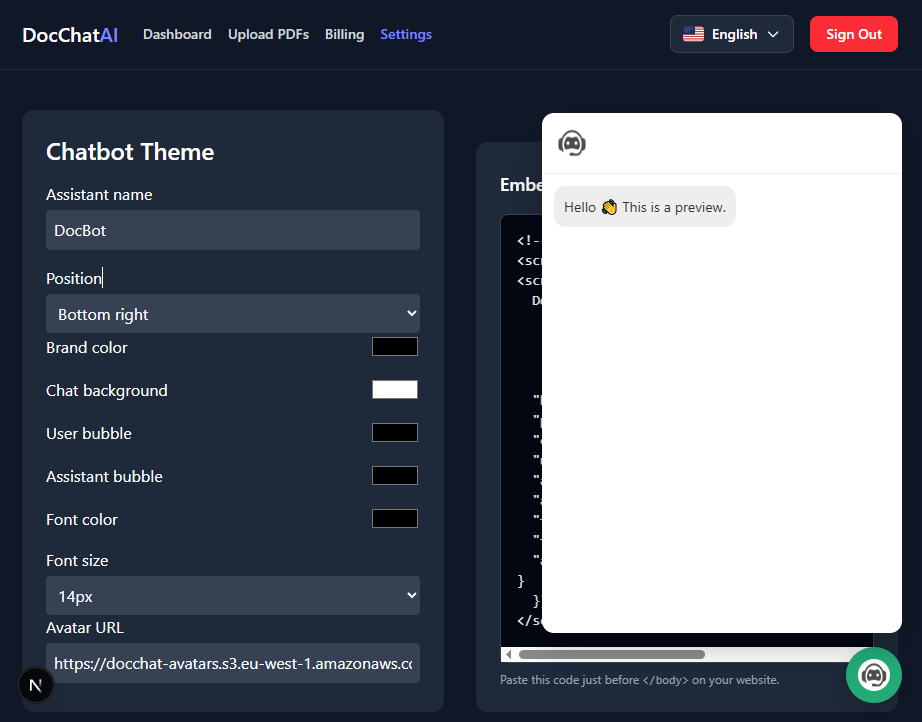
Consistency is key to trust. Your AI shouldn't just act smart; it should look like a part of your brand. Go to the "Settings" tab to tailor the chat interface.
- Visuals: Adjust the primary colors and text to match your brand identity.
- Readability: Change font sizes and bubble backgrounds to ensure a comfortable user experience for all demographics.
3. The Magic Link: Embedding the Chatbot
Once you are satisfied with the preview, it’s time to go live. Close the preview window by clicking the chatbot icon, then locate the "Copy Code" button.
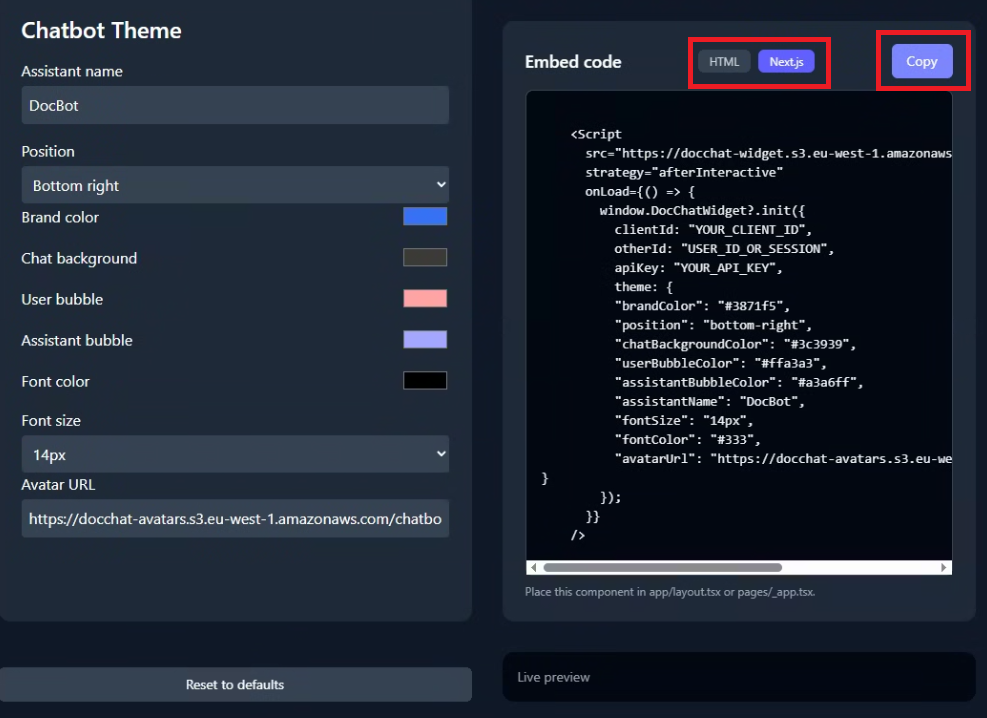
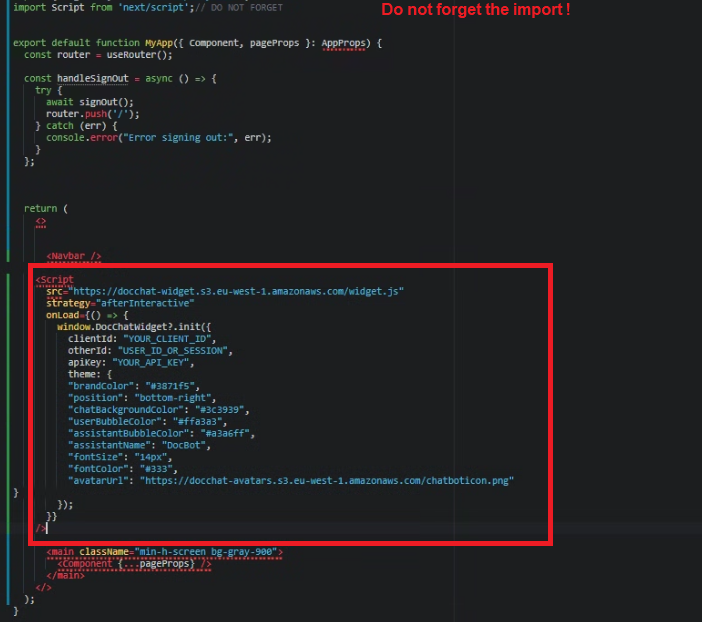
- Copy the Snippet: Select the technology of your website, then click the copy button to grab your unique JavaScript code.
- Paste on Your Site: Open your website’s source code (usually the
index.htmlor your main file_app.tsx,App.tsx,layout.tsx) and paste the snippet right before the closing</body>tag or before the end of your fragment</>. - Flexibility: You can choose to place it globally or only on specific pages where your clients need the most support.
Need a hand? Integration can sometimes be tricky depending on your CMS. If you encounter any issues, our team is standing by, we will solve your issue together. 📧 Email us at: contact@asapdev.net
4. Welcome to the Future: Your Website, Upgraded
That’s it! Simply deploy your website and refresh.
Welcome to 2026. By adding Plug & Chat AI, you haven't just added a "feature"—you've hired a 24/7 digital concierge for your clients. Your website has officially stepped up from a simple information portal to a high-performance conversational platform.
Ready to see the difference? Your clients certainly are.